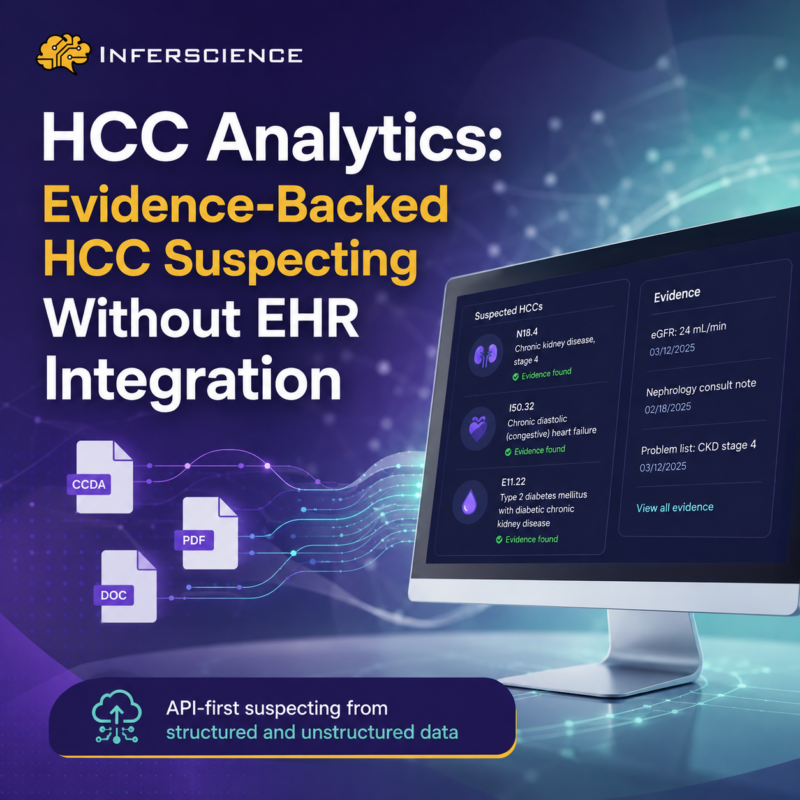
Most HCC suspecting tools force a trade-off: either integrate deeply into an EHR and wait months to go live, or accept a black-box score with no way to see why a condition was flagged. HCC Analytics is an API-first HCC suspecting engine that surfaces evidence-backed risk adjustment opportunities from structured and unstructured clinical data — without requiring EHR integration. Send patient records, receive suspected HCCs paired with the exact clinical evidence that triggered each finding.
Here’s what it does, how it works, and where teams put it to use.
HCC suspecting software analyzes patient records to identify conditions that likely qualify as Hierarchical Condition Categories (HCCs) but haven’t yet been documented or coded. It’s the “what did we miss?” layer of risk adjustment — surfacing suspected diagnoses so coders and clinicians can review, validate, and capture them accurately.
HCC Analytics is a backend intelligence layer for that job. You send patient records — CCDAs, PDFs, embedded clinical documents — and receive suspected HCC conditions, each paired with the clinical evidence behind it. It’s designed for technology partners, risk adjustment teams, and organizations that need scalable HCC suspecting without standing up a new EHR deployment.
Five steps take you from raw chart data to operational suspects:
A typical response returns each suspected HCC with its ICD-10 code, category, and the evidence elements — for example, an eGFR value pulled from a CCDA and a nephrology consult note extracted from page 3 of a PDF, together supporting a suspected HCC for stage 4 chronic kidney disease.
It’s built for teams that need an engine, not another platform to adopt.
Evidence transparency on every suspect. Every finding includes the clinical data elements that triggered it — not just the resulting code. Reviewers see the “why” immediately, without re-reading the entire chart.
Handles real-world clinical data. It processes the messy records teams actually have: CCDAs, scanned PDFs, faxed charts, and unstructured documents embedded inside CCDAs — not just clean structured feeds.
Not a black box. Findings are grounded in Inferscience’s clinical logic and NLP, not generative-AI guesswork. Outputs are explainable and defensible — which matters when a suspect has to hold up to review or audit.
No EHR integration required. Skip lengthy EHR integration cycles. Send data, receive results, and plug findings into your existing workflow on your own timeline.
Flexible JSON output. Results power dashboards, coder worklists, partner UIs, or internal analytics — wherever your team works.
For risk adjustment and technology teams, that design translates into concrete advantages:
HCC Analytics is for teams that need HCC intelligence on their own terms — from technology vendors embedding suspecting into a product, to risk adjustment teams running their own pilots, to ACOs and payers operating population-level programs. If you need scalable, evidence-backed HCC suspecting but don’t want a new EHR deployment, it’s built for you.
What is HCC suspecting software? HCC suspecting software analyzes patient records to identify conditions that likely qualify as HCCs but haven’t yet been documented or coded, so teams can review and capture them. HCC Analytics does this from an API, returning suspected HCCs with the clinical evidence behind each one.
Does HCC Analytics require EHR integration? No. HCC Analytics is API-first — you send patient records (CCDAs, PDFs, embedded documents) and receive results, with no EHR integration required.
Can it read unstructured documents like scanned PDFs? Yes. It uses NLP and document extraction to surface clinical facts from CCDAs, scanned PDFs, faxed charts, and unstructured documents embedded inside CCDAs — not just clean structured data.
Is it generative AI? No. HCC Analytics is grounded in Inferscience’s clinical rules engine and NLP, so outputs are explainable and defensible rather than generative-AI guesswork.
What format are the results? Structured JSON, including suspected HCCs, diagnosis codes, categories, and the supporting evidence for each — ready to feed dashboards, coder worklists, partner UIs, or internal analytics.
Want to see HCC Analytics on your own chart set? Book a strategy call.
